Bird can be used as one of the SMS providers within GoTallo.
Bird offers two types of numbers for SMS senders: Alphanumeric and Longcode.
-
Alphanumeric is lower cost, but is capable of sending outbound messages only
-
Longcode can be configured for inbound messaging, but has a higher Outbound SMS cost and a monthly cost to keep the phone number registered
In order for GoTallo to handle inbound messages, the SMS Channel must be configured with a Longcode number.
Onboarding - SMS Channel
-
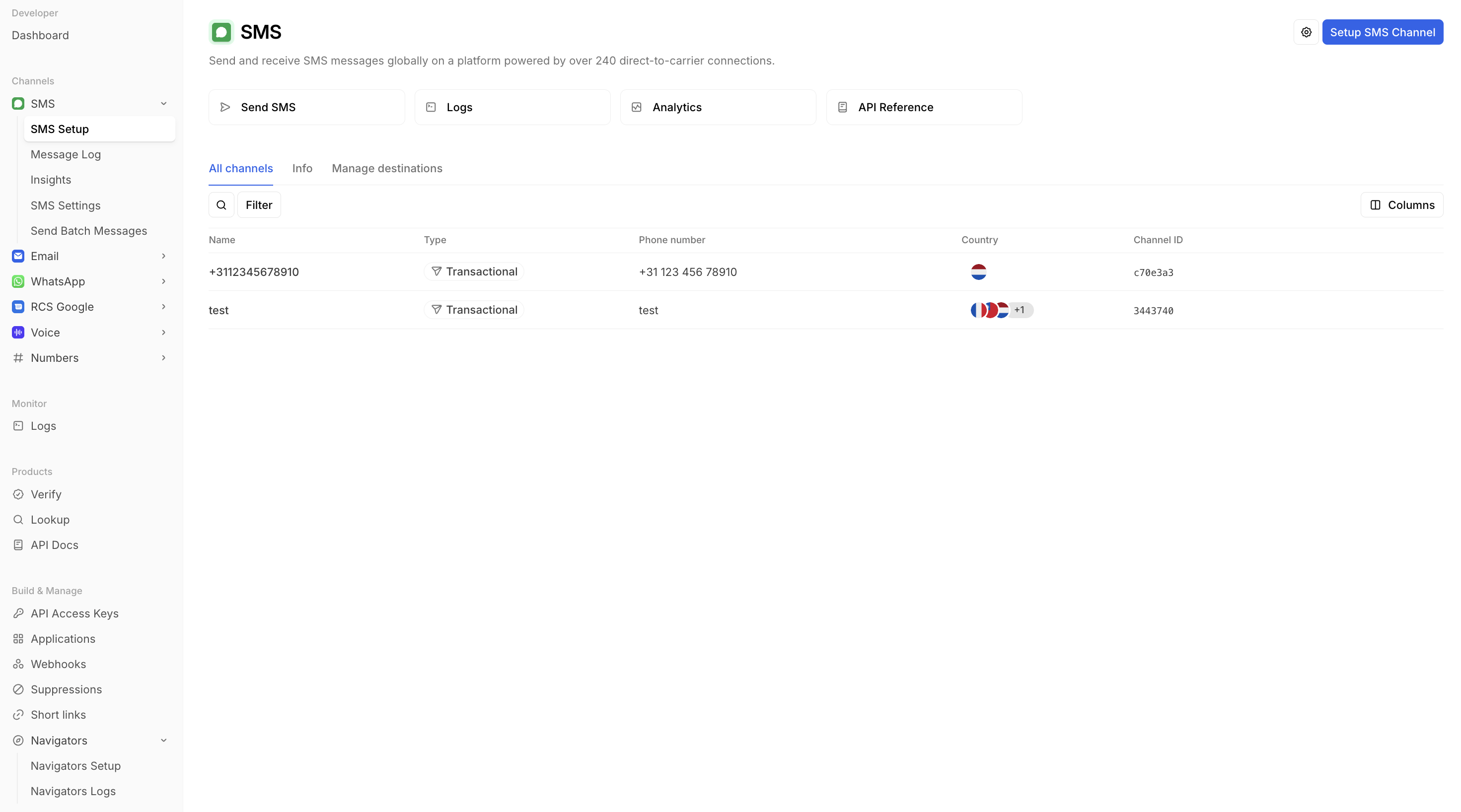
Navigate to SMS Channel creation (
Developer → Channels → SMS → SMS Setup) -
Select
Setup SMS Channel -
Specify the destination countries for the SMS traffic
-
Specify a sender type (Alphanumeric/Longcode) and a Use Case.
-
Note that not all countries support Longcode numbers by default. Some countries require additional configuration steps with Bird to register for virtual mobile numbers.
-
-
Review the order summary and finalise the purchase to finish registering the number.
Configure GoTallo
Go to GoTallo → Configuration → Channels → Add SMS (Bird) from the list.
After inputting the fields and clicking save, the record should be successfully synced.
The location of the required data can be found below:
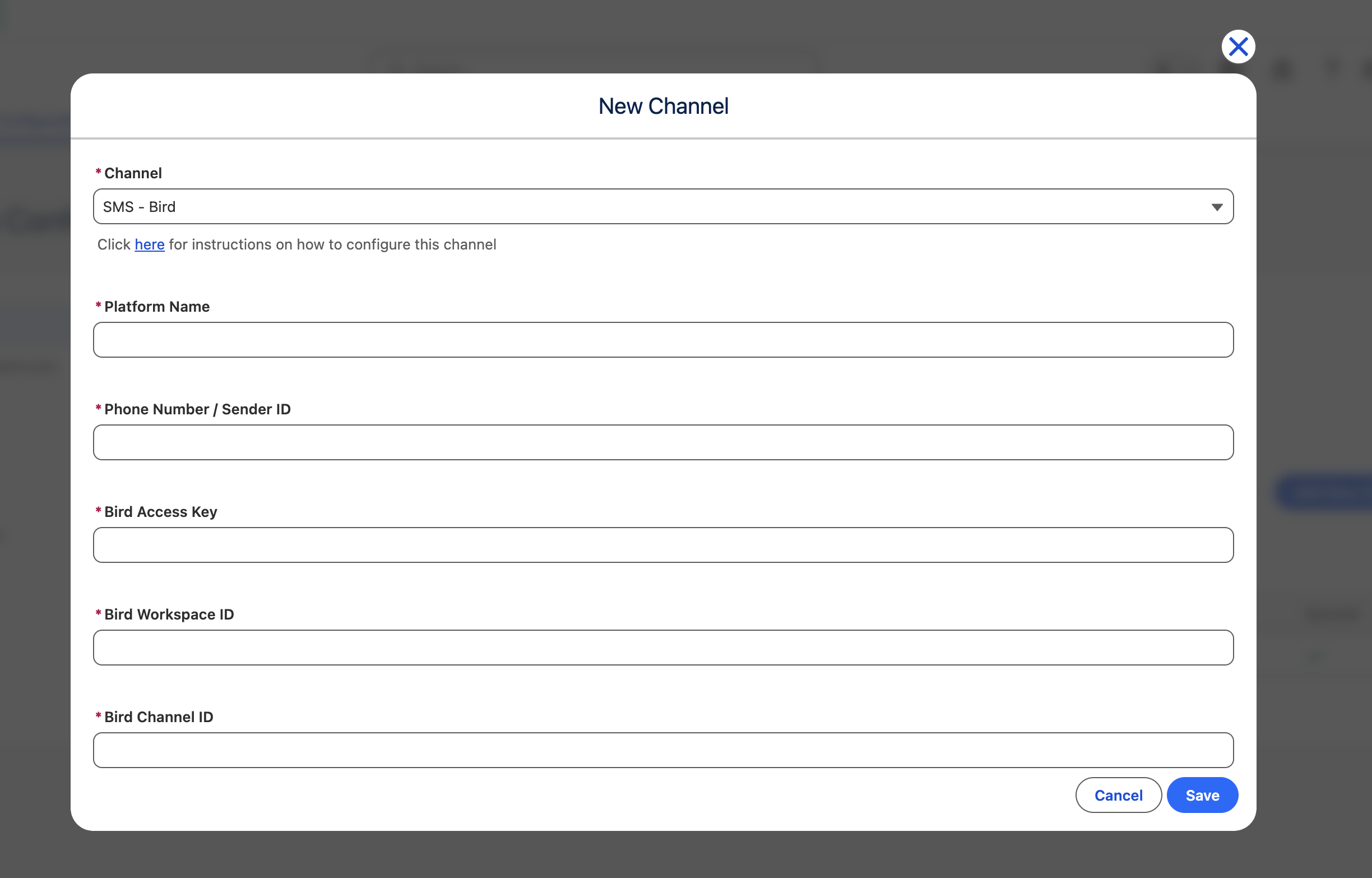
Platform Name
This can be anything - select a human readable label for the channel.
Phone Number / Sender ID
This is the name of the SMS Channel set up in Developer → SMS → SMS Setup (For instance, ‘+3112345678910', which is a Longcode SMS Channel, or 'test’ which is an alphanumeric channel).
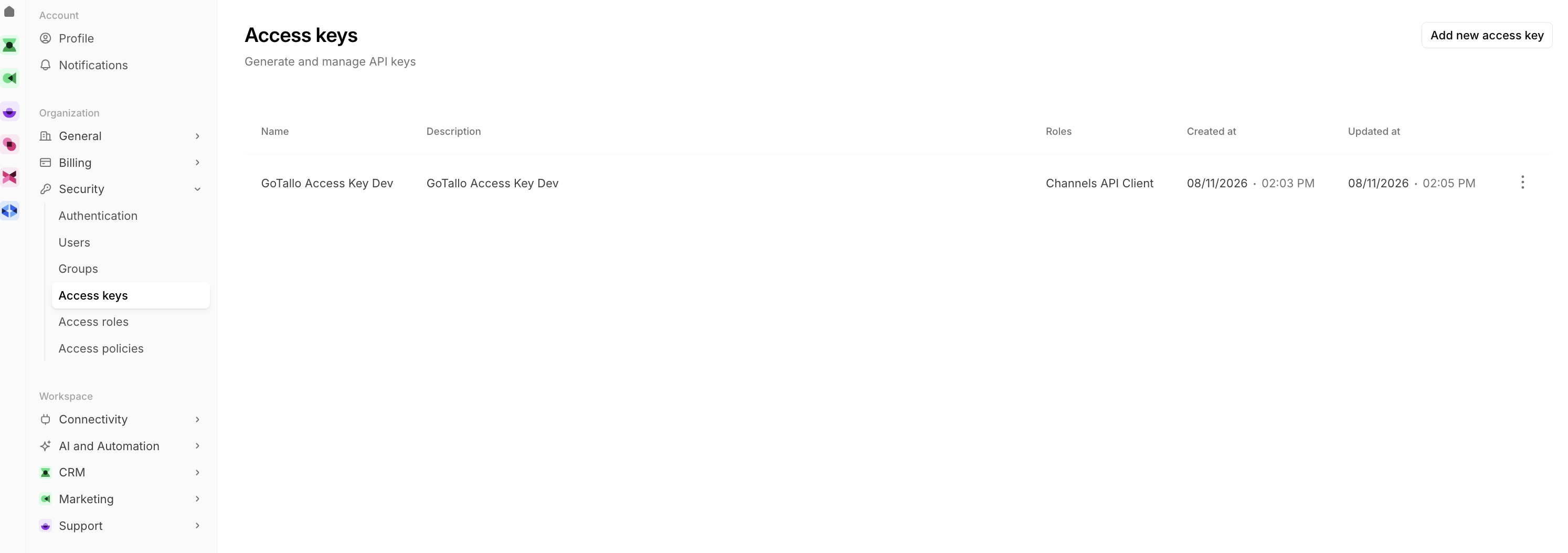
Bird Access Key
This can be configured in Settings → Security → Access keys. Make sure to copy it after creation as it will only be shown once.
Bird Workspace ID
This can be found retrieved from the URL once you’re logged into a workspace in Bird. The format will likely match the following:
https://app.bird.com/workspaces/{workspace_id}/developer
Bird Channel ID
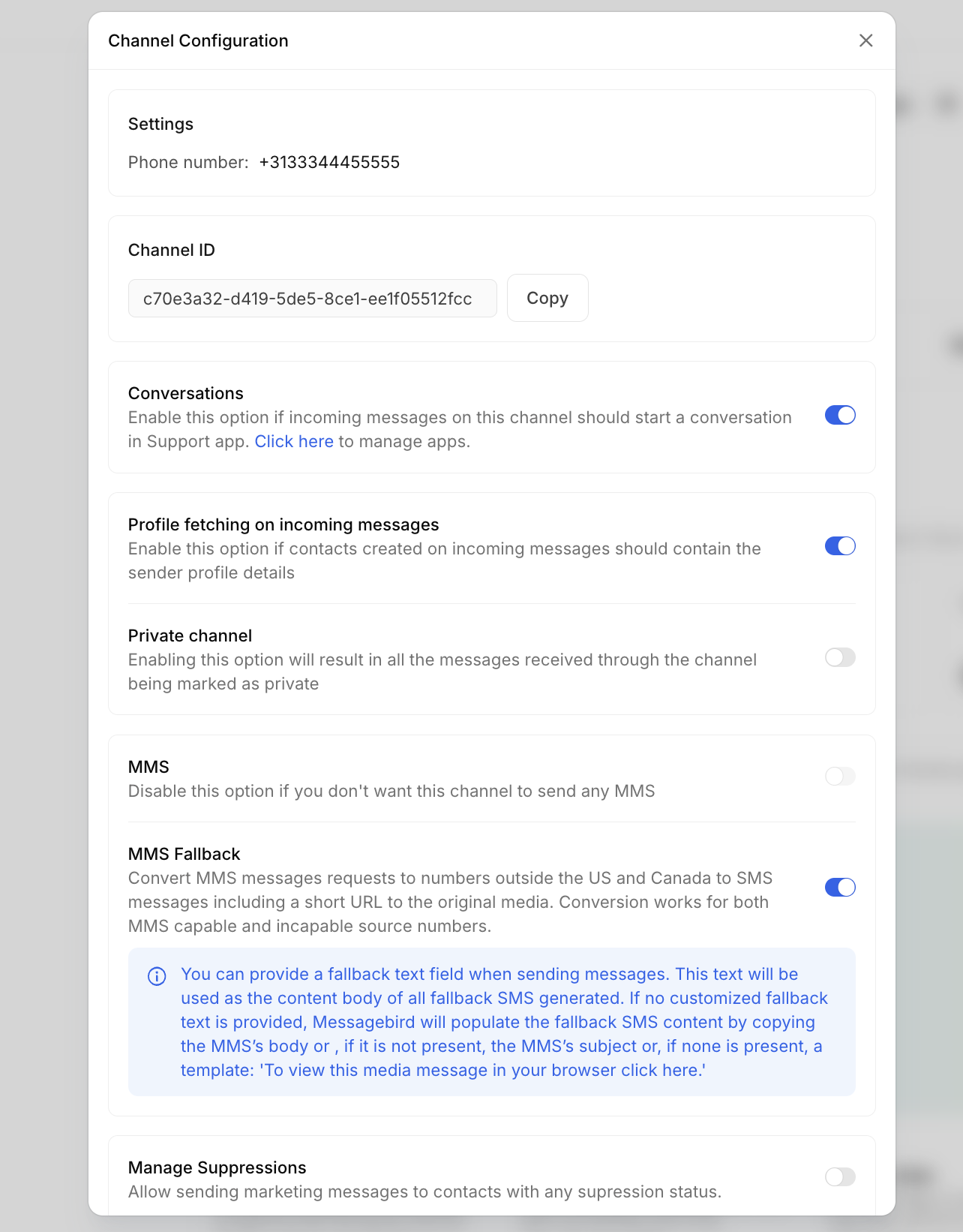
Navigate to the SMS Channel that was previously created → Settings (typically a gear icon near the top of the screen).