Overview
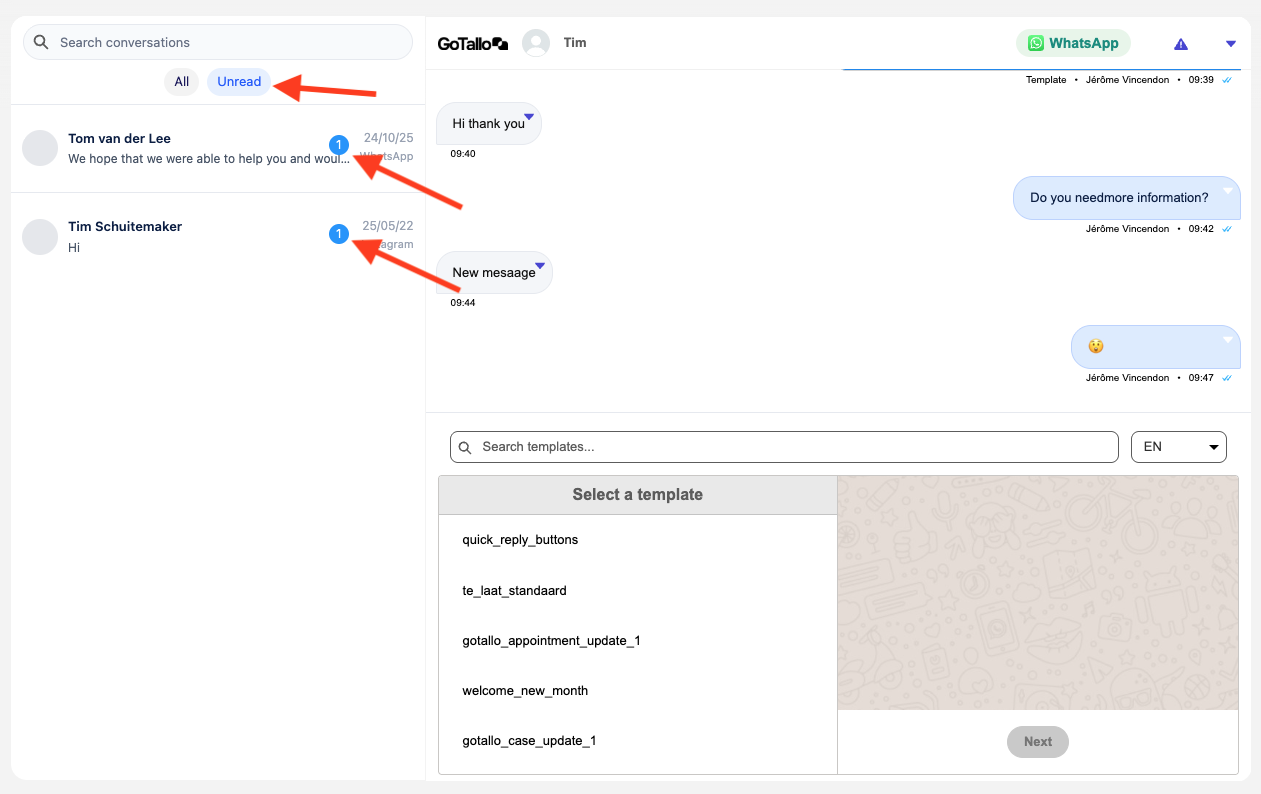
The GoTallo Inbox provides a unified view of all conversations assigned to the current user, allowing them to quickly see who needs a response, open conversations, and reply directly from Salesforce.
The Inbox can be added to any Lightning record page.
Configuration
Adding the Inbox to a Page
-
Open Lightning App Builder
-
Edit the desired record page
-
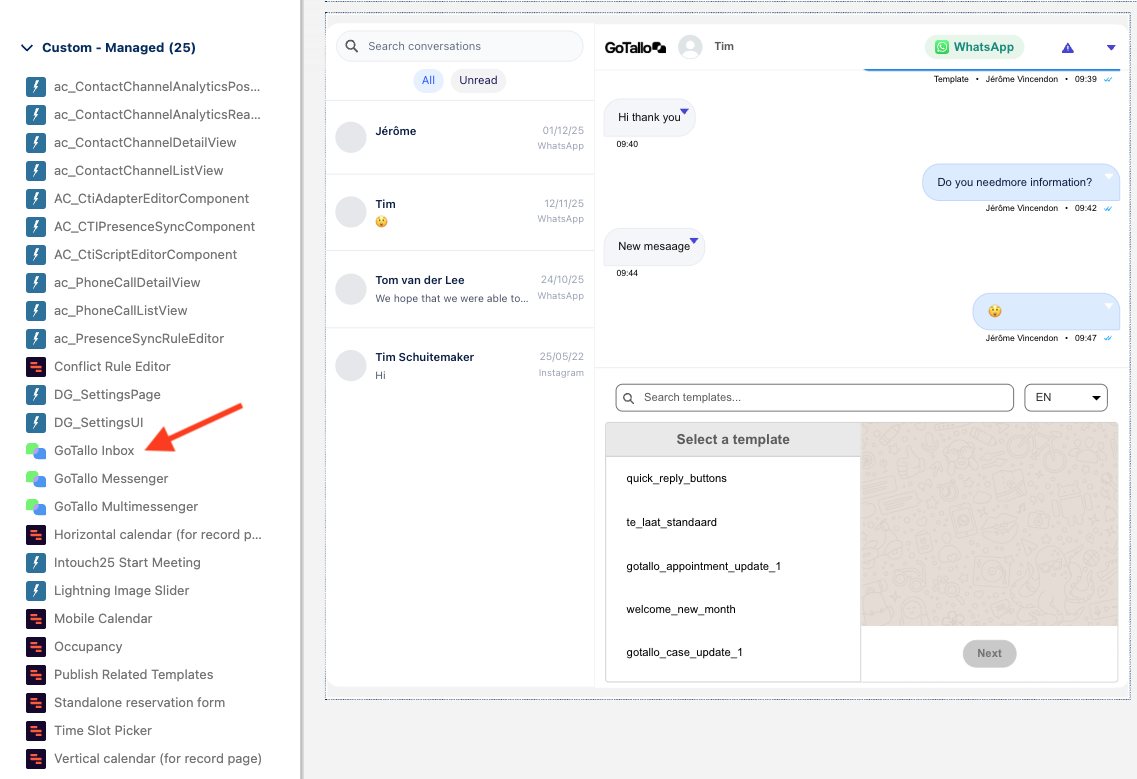
Drag the GoTallo Inbox component onto the page (found in custom components)
-
Save and activate the page
Assignee Field Configuration
The Inbox shows conversations based on an assignee field. This field determines which conversations belong to the current user.
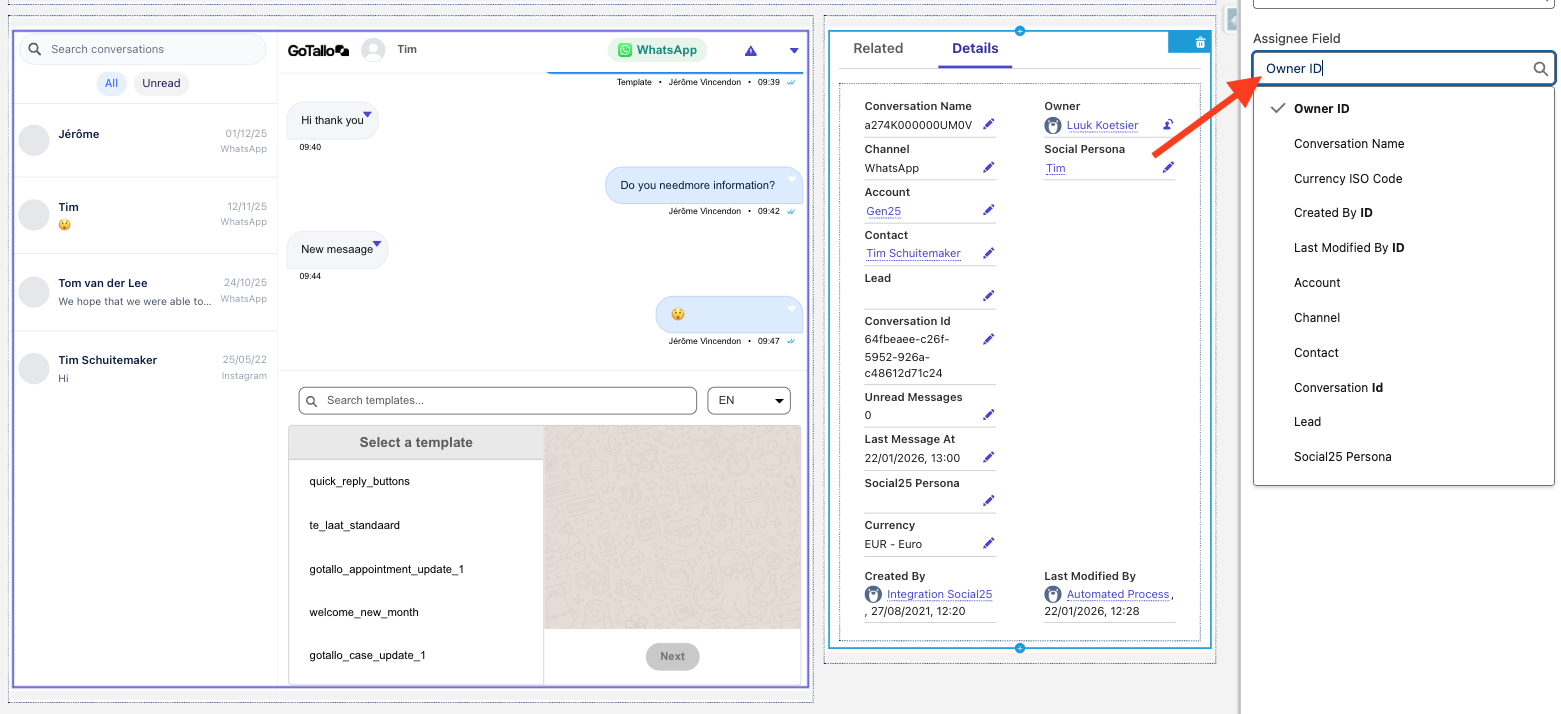
⚠️ Make sure the selected field contains a User Id.
If the field is misconfigured, the Inbox may appear empty.
Component Height Configuration
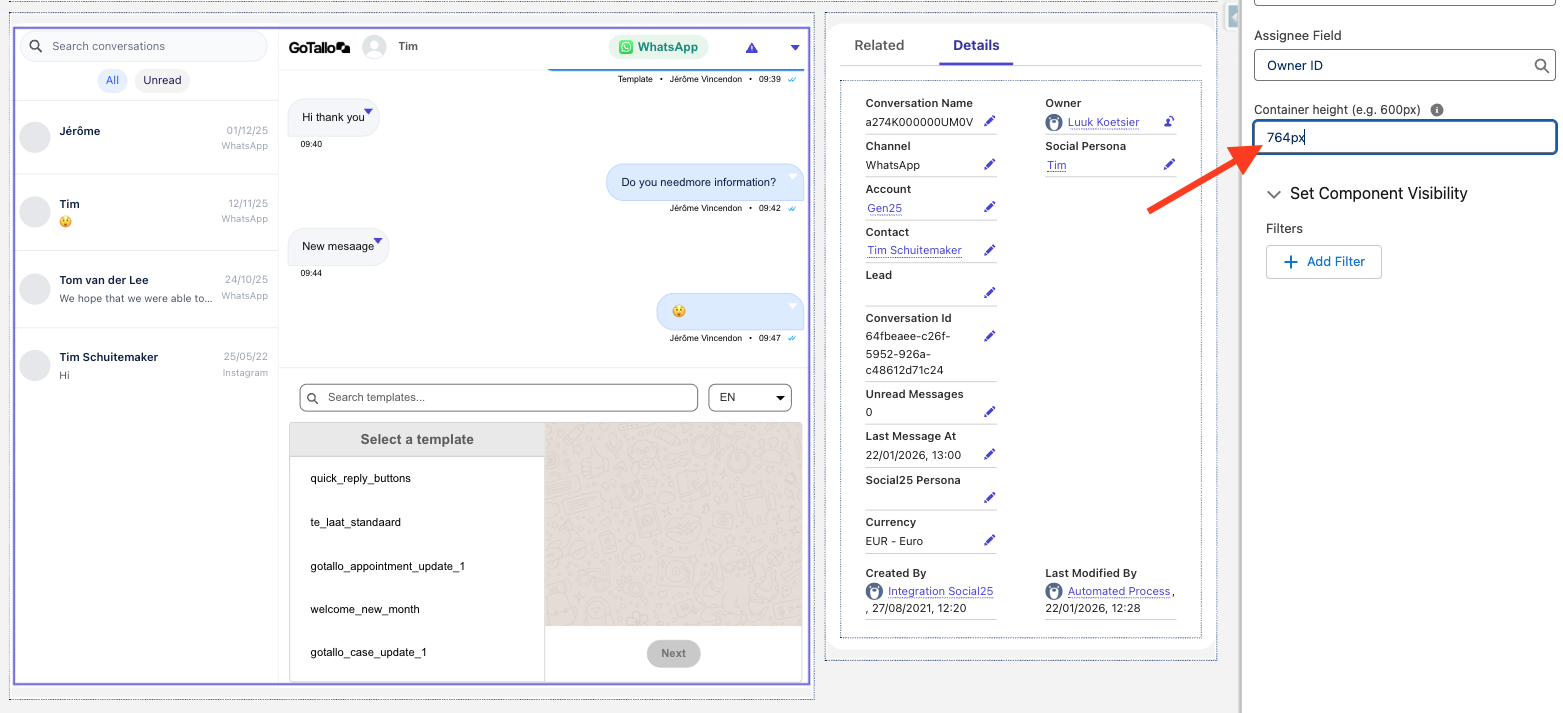
The Inbox height is configurable to fit different page layouts.
Accepted formats:
-
Pixels: 764px
-
Viewport height: 60vh
-
Percentage values are automatically treated as viewport height
Minimums and limits are enforced automatically to ensure usability.
Using the Inbox
Inbox Layout
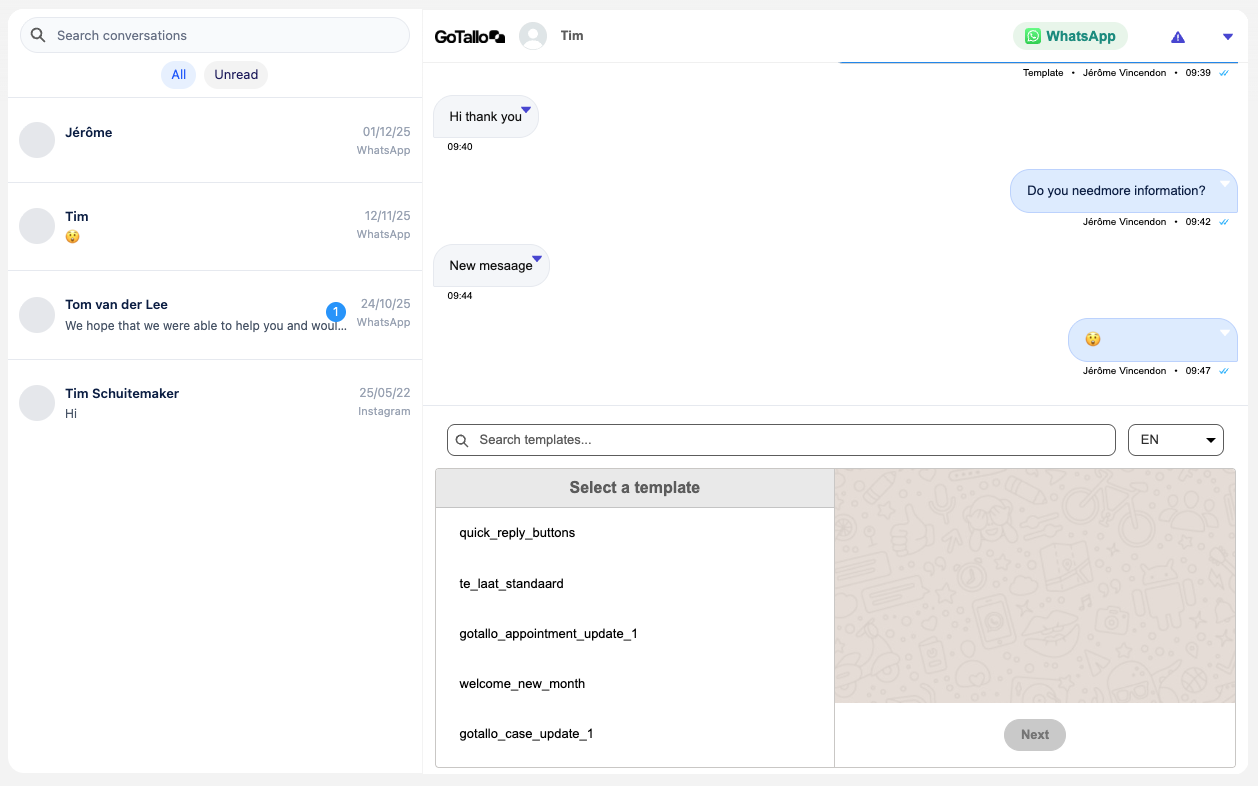
Each row in the Inbox represents a conversation and shows:
-
Person’s name
-
Last message preview
-
Timestamp of the most recent message
-
Unread message indicator (if applicable)
-
Nameless chats are marked as ‘unknown’
Sorting Behavior
-
Conversations are automatically sorted by most recent message
-
Conversations with new messages move to the top
-
Sorting updates optimistically when sending messages
Note: Some updates depend on backend processing and may appear with a short delay.
Opening a Conversation
-
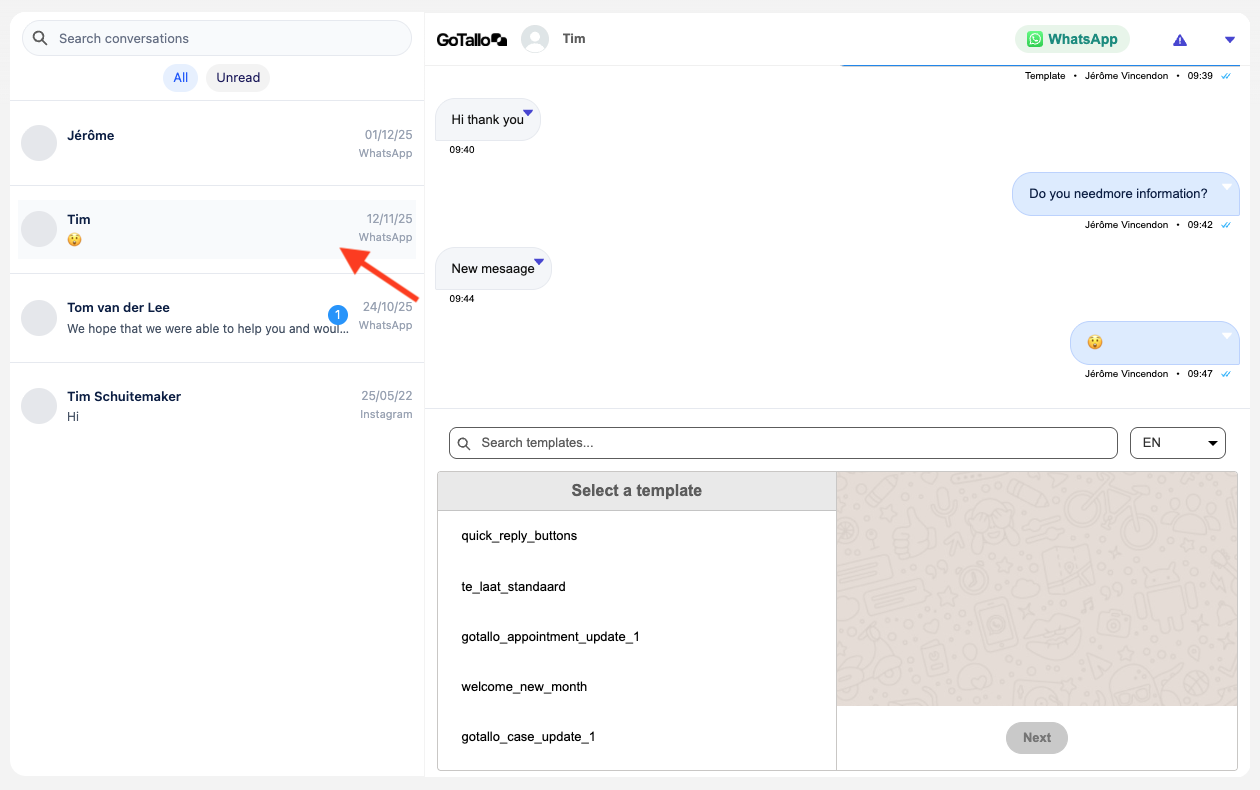
Click a conversation row to open it
-
Opening a conversation marks it as read
-
Unread indicators are cleared automatically
Search
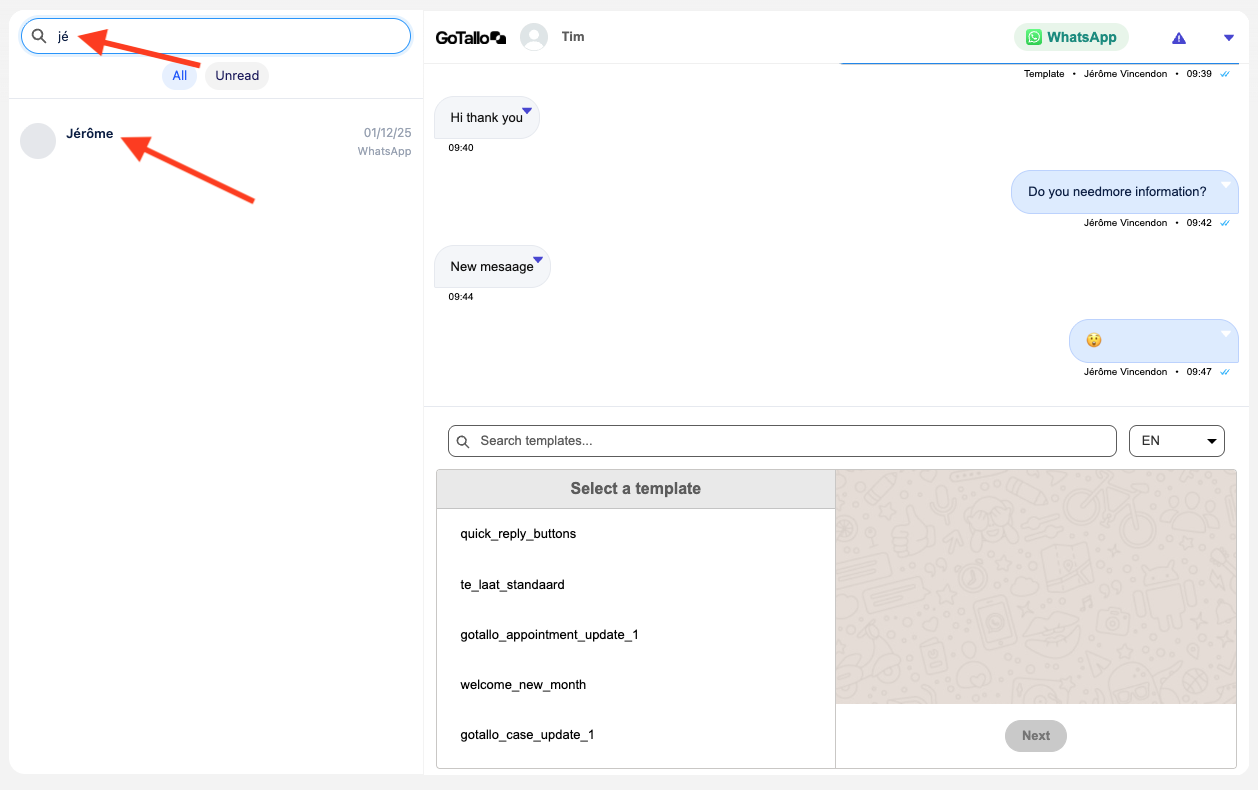
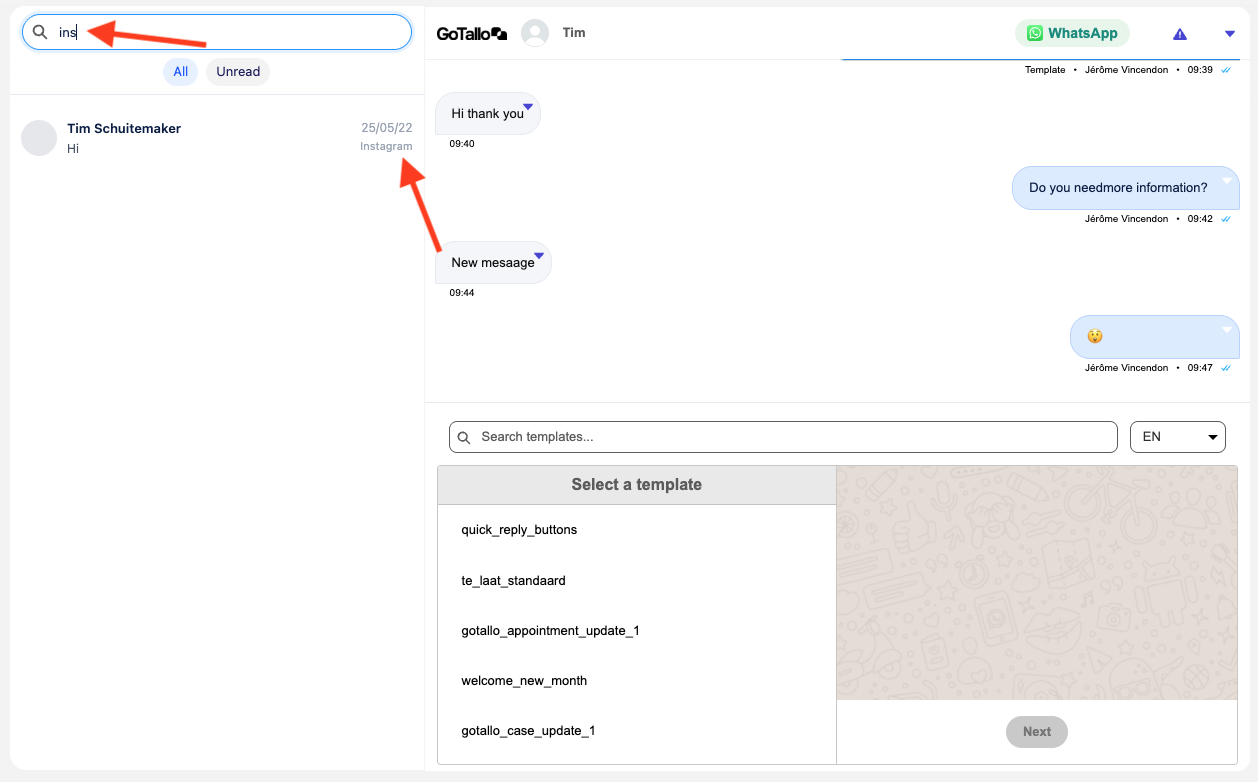
The Inbox includes a search bar that filters conversations by:
-
Participant name
-
Last message text
-
Channel
Search updates dynamically as you type.
Filters
The Inbox supports quick filters:
-
All – shows all conversations
-
Unread – shows only conversations with unread messages